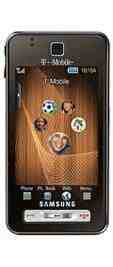

Turns out that Behold also comes with a real HTML browser out of the box, but T-Mobile has configured the device to connect to the Web via the carrier's new servers, which serve everything up in this terrible half-HTML/half-WAP format that I really hope T-Mobile rethinks right quick. Fortunately, some enterpising Behold users figured out how to access the phone's Admin Settings menus in order to change the default Web browser settings.
I tried it, and while it can be a little slow from time to time, the resultant Web browsing experience is far superior to what Behold does out of the box. So how do you do it? Check it out, with thanks to PhoneDog Forums user texmoss along with TmoNews and HowardForums.
So how do you do it? Go to your Behold's dialing keypad (Phone mode) and follow these steps:
1. Dial *#6984125*#
2. Select: Network & call settings
3. Select: Connection
4. Select: Browser
5. In the ?Access name? use: internet2.voicestream.com
6. Scroll to ?Proxy address? & remove the :80
Note: These settings appear to have worked for some users, but not for others. Myself, I had to change the access name to "wap.voicestream.com" and delete the proxy address entirely. Your mileage may vary depending on what T-Mobile Internet plan you have ... and, you know, other factors beyond my control. Good luck!