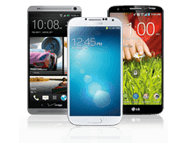
had this device since a week and i am loving it. very fluid and display is absolute beauty.
the most amazing thing about this phone is its battery life.
Awesome screen
Good battery life
An brilliant performance
the design is nice but the battery is not so strong with playing games
Nice phone Samsung Galaxy Note 2 is a great choice big screen a super amoled display smart pen and the best proccesor in the market
Its just awesome. Everything about it is just amazing
This is a very good phone. It's packing a 1.5 dual core snapdragon S4 processor, 8mp camera with led flash, 4.7in super LCD HD screen, 1,800mah battery, etc.
The camera on this phone rocks and is very quick at taking the pictures. Also the battery rocks, dies very slowly and takes about 1.2-1.5 hrs to fully charge if that. Also the design of this phone is a really nice design and fits comfortably in the hand!
I've been using my HTC One X for over a month now, and to be honest I love the way it has been working and helping me get through my day of work and fun with out a hitch. The only problem I have had with the HTC One X was the battery life when I first got it. I updated it to the 1.28 software update and it improved the battery life and further improved the fluidity of the flow of graphics. This week I got to update it to the 1.29 update and it has made things even better. I have constantly found myself trying to drain the battery by bedtime (watching videos, playing temple run, and just browsing the net) but still find that I have a lot of power left. I noticed that if not used and left on its own there is hardly a power leakage happening.
Only concern I have is keeping the phone's camera safe from scratches, hopefully by the week there'll be a case to do just that. Best accessory that I have bought (in SM Mall of Asia) though was the Invisi shield by Zagg which covered my phones entire body from scratches and only cost Php 1,500 with lifetime warranty (note - dont put your phone in your pocket or in tight places till after 72 hours, cause you need to allow the shield to fully settle). No more worries about discoloration and scratches of the white polycarbonate shell case. To help keep the camera safe from scratches I got a black phone sock that covers HTC One X's body quite well.
I have used the iPhone 3G, HTC Wildfire, Samsung Galaxy Y(I still have this one for my sun line), and the Samsung Galaxy W(loved this one cause of the 1.4ghz single core-price was pretty cheap Php12K-10K) prior to my HTC One X. IPhone 3G had enough storage space for me but lagged a lot when I used the applications. HTC Wildfire had a cool HTC Sense Interface but due to lack of RAM space and memory I constantly found myself deleting applications a lot. Temple Run couldn't run on the HTC Wildfire because it was running below 1000ghz cpu power (600mhz to be exact). Samsung Galaxy Y had similar issues with the HTC Wildfire, however I found it more fluid in terms of usability compared to that of the HTC Wildfire, which is why I choose to keep it as a second phone. I sold my HTC Wildfire to get the Samsung Galaxy W (I got the White Edition cause it looked amazing). I just loved the speaker and the fluidity of the Samsung Galaxy W. In terms of memory it has around 4gb of internal memory - 1.2 is useable and the 1.82gb is the USB memory + external memory card slot. Camera is at 5MP too and VGA for the Secondary camera. The one thing I didn't like about the samsung Galaxy W - Temple Run was lagging a lot and I only got to play decently when I have rebooted. RAM is always being fully utilized in the Samsung Galaxy W. If you are a heavy user and rely a lot of multi-tasking for your day to day activities, Samsung Galaxy performs just as well as the IPhone 4. But if you need more gaming and computing power best to go look elsewhere. After a month's usage I gave the phone to my sister as a gift, since she wasn't a heavy user like me and is obsessed with angry birds and not temple run :)
HTC One X is what I chose to go with and there have been so many mixed reviews about the phone. People have said to wait for the Samsung Galaxy S3 or the LG Optimus 4X. I have learned a habit of now reviewing what people say about a phone then testing it myself to see how it works in real life. In comparison I chose the HTC One X for the way it looks and feels. It compliments my personality and style. Samsung Galaxy S3 and LG Optimus looks a bit plasticky and if you bring it down to actual usage irregardless of benchmark tests they all work and feel fluid and handle the daily workloads quite well. I've got over 356 applications now on my HTC One X and to be honest I dont get to use them all, but it was pretty convenient to have them all ready when I want to use them.
Here are the applications though that I use the most:
Navigator - This is free and was able to download offline maps. With HTC One X's GPS working with their map, I have found that I dont need to be online to find my way around plus there is voice guidance (British accent though) to guide me through. Having a big memory helps here. Though I think with Samsung Galaxy W this would work just as well.
Camera 360 - I love this application because it allows me to use my phone's camera like an SLR camera without the need for external filters. This application works quite well for Samsung Galaxy W as well. But if you try it with the Samsung Galaxy Y you'll find that the camera orientation is skewed pretty badly. If you find that the photo is not being saved to the gallery simply change the effects and re-save. This also works amazingly with the iPhone 4s.
Instagram - I don't think I need to talk much about the use and benefits of instagram since over 10million people have already downloaded it and it does take amazing shots as well as edits photos pretty well. What I normally do though is I take pictures using my HTC One X's Camera(HTC has amazing effect edits similar to that of Instagram and Cam360) or the Cam 360 then edit it further in Instagram which uploads the final edits to my Facebook, Twitter, and Foursquares account. HTC One X's Camera is at 8MP for the main and 1.3MP for the front(only used this one for skype and vanity shots). You'll need to have at least 1GHz cpu power to be allowed to download and use this application.
Streamzoo - like Instagram but better cause I dont have to be forcefully cropping the shots I took unlike in Instagram all shots taken have to be cropped to fit Instagram's profile shot requirements. Same functionality as well but unfortunately isn't as popular as Instagram.
Evernote - I jot down minutes of the meetings, email agendas, create to do checklist, and share it with people seamlessly either via email or to their evernote accounts. Works well with my Samsung Galaxy Y and Samsung Galaxy W. I think it would work well with the HTC Wildfire but may cause a lot of lag for the unit. You can also use it on your PC to take webclips and later view it on your smartphone device. I also use it to take snapshot for documents and notes that I can review for later - makes it a lot easier than retyping a whole document (of course for this one it would be best if you use a phone with at least 5MP clarity wise)
Dolphin Browser and its add ons - This one works extremely well and much better than the pre-installed android internet browser. I use the battery saver addon and evernote add on for this. You can also set it to auto delete the cache and history for optimized used when exiting the application.
Google Apps - There are several that comes pre-installed but the ones that aren't such as Google drive I strongly recommend to get. It is free and works just as well as DropBox with a bigger storage capacity.
TuneIn Radio - Allows me to listen to local radio stations over the net. Easy to use and sound quality is amazing. Just make sure you have a speedy internet connection when you use it.
DI Radio - House music radio station to get them bootie thumping happening. I love listening to party and dance music when I am working and this one works just as well as podcast radio stations on my iTunes.
Temple Run - Who hasn't gotten caught up with this game as of yet. If you haven't best to try it out and be prepared to spend a lot of time on it. To be able to download this you'll need to get a phone that runs on a 1Ghz CPU processor but be warned, single core units may have lag moments. On the HTC One X and am sure with its quad core brothers that are now out in the market, Temple Run Gaming is going to be really fun and smooth to play with.
Over all
I use the Camera application more than anything. Video and Burst Shot Applications have made taking shots fun and convenient. Picture Quality is Amazing, even the front camera resolution is just as great. With applications such as Camera 360, Instagram and Streamzoo, + HTC One X's internal effects edits make even more of a difference with the quality of shots. Just be very careful with camera and make sure it is protected from scratches as this is the most vulnerable part of the phone. I used to bring a Sony Cybershot Camera when I travel around, now I just bring my HTC One X. The Navigator Helps me get around just as well as our CarNavi and works better than that Hyundai Santa Fe's internal GPS unit. I would strongly recommend grabbing this phone and if you need a referral as to where to buy this here in the Phil at a lower cost give me a PM and I'd gladly guide you to the shop of my friend in Parksquare Beside Glorietta. In CashCashPinoy they have this on sale at Php29K with my friend and another shop they currently have it on Php28K. They are also selling the Samsung Galaxy Note at Php25K just in case you were interested in that pretty amazing tablet like phone-Phablet I think is what Samsung Peeps are calling it.
I'll be using my HTC One X to take shots in our Bangkok Trip next week so standby for that article. I am pretty sure I'll be able to take amazing shots with it on the trip. Also already downloaded the Map of Thailand so I should be able to Navigate around the City quite easily.
Till then...
With the upcoming Samsung Galaxy Note 2 coming out this October, I wanted to take a moment to give a full review of how Samsung Galaxy Note has performed with the daily grime of everyday life.
To start things off, The Samsung Galaxy Note (currently at 25k to 31k Philippine Pesos) is a pretty big phone for most people, at least that is until they get to use it. Packed with a 5.3 inch amoled display, and backed with a dual core 1.4 Ghz Cpu Processor, Full touch Screen with a pull out S Pen (Advanced Smart Pen), 8 Megapixel AutoFocus Camera and a 2Megapixel secondary camera, 1080p Video Recording and Playback, Android 2.3 Gingerbread Platform, and 16GB Internal Memory with a microSD expansion slot of upto 32GB. With all that pointed out the Samsung Galaxy Note is a pretty tightly packed device.
First thing one would think is this still a phone or a mini tablet? To put it frankly, it is still generally a SmartPhone as it still somehow fits into any user's pocket(back pockets are counted), but due to its size Samsung has been coining the word Phablet, showing how this is a result of a marriage of a regular sized smartphone and a tablet pc. With that aside, the next question people would ask is who would buy such a massive device? Frankly speaking, millions of people already have and based on user feedback it is mostly bought by people that want a full blown tablet experience without the hassle of the size and yet still manage to pass as a phone. From my experience, mostly people in the business community have taken a liking to this phone as they are able to fully utilize it in their business meetings and presentations while incorporating it into their personal needs in life such as social networks and social media.
My experience with the Samsung Galaxy Note has been both positive and negative, but thankfully more on the positive side which I shall be enumerating a little bit further. Currently, the model that I have at hand and have been using is the White Version of the Samsung Galaxy Note that is still in it's Android Software Version. I am currently waiting for the ICS update that was promised for the note which hopefully will help iron out some the quirks that I have noticed along the way.
The Samsung Galaxy Note isn't a difficult phone to use if ever you have already gotten used to the other smartphones around. But if you are a beginner to smartphones, or if you are coming from the iPhone, I noticed that friends had a difficult time going around and getting accustomed to the User Interface. New Users will definitely have to spend a day to explore and play around with the Samsung Galaxy Note, especially with the functionalities that are included in the use of the S Pen. Once you get a hang of things, using the S Pen and going around the Samsung Galaxy Note becomes a breeze.
The first thing that I myself was impressed with and had been able to incorporate into my daily life is the usage of the S Pen. From, making quick notes for shopping, the grocery list, to jotting down meeting notes and reminders, the S Pen and Samsung's Patented S Memo have become a very important part of my daily routine. I can take a Photo, Use the S Pen to do a screen capture then crop to be included into the S Memo and take down notes then share them with friends right after. If you are an artist like one of my friends you can even create digital masterpieces to be shared just as easily to everyone. How one can use the S Pen and S Memo, S Planner, and more is left entirely to the users creative mind.
In terms of using the Samsung Galaxy Note as Phone, call quality is quite good, but noise cancellation still needs a bit of work but isn't so bad. Music playback is also just as good, though not something I have used a lot. Navigating around the different applications that have been installed is also a breeze cause of the dual core processor chip that the Samsung Galaxy Note is equipped with. The main User Interface where the widgets are also just as easy to go through and the selection of widgets that are available for the users can choose from are numerous and highly intuitive. With the coming Ice Cream Sandwhich update and the Jelly Bean which hopefully will come to the Samsung Galaxy Note the end user experience should be greatly improved.
Camera and Video quality is very good but is not the best in the market. Compared to the iPhone 4S, Samsung Galaxy S3, and HTC One X, the Samsung Galaxy Note still has a lot it can improve on. Thankfully there are camera applications in the Android Market that can compensate on those points such as Camera360 Ultimate. I am also expecting that once the software has been updated from Gingerbread to ICS and Jelly Bean there should be a marked improvement on the user interface and user experience with regards to taking Photos and Videos.
Everything that Samsung Galaxy Note has promised to deliver on has been accomplished with just minor quirks. These are things that hopefully will be improved if not with the software upgrade with the new and Upcoming Samsung Galaxy Note 2 which is being rumored to be running a Quad Core Chipset.
There are really only a few things that bothered me about the Samsung Galaxy Note. The first thing was the lag I would experience as I scroll through the windows that contained widgets, but when i get into the applications view everything just runs so smoothly. I suspect it might have something to do with the task management and allotment of ram space for certain tasks. I also was puzzled with the lag with certain games that should be running smoothly like Temple Run, though it might be a coding issue due to the screen size that the program has to compensate for but it might also be due to the Gingerbread software. So these things I am hoping to see a marked improvement once I get the ICS or Jelly Bean on the Samsung Galaxy Note.
In terms of aesthetics, the Samsung Galaxy Note does leave a subjective taste on a lot of people's palate. Irregardless of size the Samsung Galaxy Note feels a little plasticky on touch which I remedied by replacing the back case with a case I bought from the local phone shops here in MegaMall that doubles up as a cover for front panel like a folder giving it a more sophisticated look and feel.
Transferring data from the Samsung Galaxy Note to the Mac PCs we have weren't as straight forward as one would expect either. It isn't your straight plug and play as you have to go first to the wireless networks, select USB setting and select connect to pc before you can actually plug the phone's cable to the Mac. Once Connected you have to select Connect to PC again for the Mac to identify the SD cards to transfer data and photos. With the HTC One X its all just plug and play, Same with the iPhones. Hoping that the Upgrades can fix this process which is something I would doubt as even my Samsung Galaxy Y has to go through the same process.
Overall I would most likely recommend this phone to friends but only to those that would need something to carry that is lighter than a tablet and still be useful in presentations and/or Office work or for those that just wants something different and have a need to really stand out as placing this phone in your pocket is doable but uncomfortable especially in tight jeans. Battery life of the Samsung Galaxy Note is amazingly good and lasts pretty much throughout the day with out the need to recharge. With the Samsung Galaxy Note 2 just around the corner, is this still going to be a good buy? I would say pretty much yes as you should expect that the Samsung Galaxy Note 2 to be in the Upper $/Php Price range, and aside from the fact that its most probable only advantage to the current note would be a slightly bigger screen and a bigger cpu, the one's who already own a Samsung Galaxy Note would most likely not care much to purchase the Upcoming Samsung Note 2 just yet. But that is just a matter of opinion and who knows I just might purchase one myself once it comes out ;)
Till Next Time
-Metz-
It has been months now since the release of the best selling Samsung Smartphone Samsung Galaxy S3. It had been pitted head to head with many high end Smartphones from its first launch early this year to HTC One X, iPhone 4s, Nokia Lumia 900, Samsung Galaxy Note and now it has been compared to its newest brother Samsung Galaxy Note 2, then comes HTC One X+, Nokia Lumia 920 and IPhone's latest smartphone superstar the iPhone 5. The question now that consumers are asking is if it is still worth the buck. Here in today's article I shall be running through the features that made the Samsung Galaxy S3 a big favorite and it'll be you who'll decide whether or not this is the phone for you to keep at least for the next year or so.
The Samsung Galaxy S3 was launched shortly after HTC announced its Quad Core device called the HTC One X. It may not have been the first to launch quad core technology, but Samsung had definitely banked upon a lot of it's competitor's short comings and because of it has placed Samsung's name on top of the Gadget to have of the Year 2012. It's fast, benchmark scores were off the scale and it featured the latest Android Software of the time Ice Cream Sandwich 4.0.4. It was a bit larger than that of the HTC One X measuring at 4.8inches and was feature rich. Not only did it have a bigger screen, but it is also quite feature rich with innovations such as Smart Stay, S Beam, Direct Call, Pop up Play, and many more. Samsung Galaxy S3's Camera was also at par with the most favored high end phones being marketed then and even now. It creates impressive shots that are at par even with that of the HTC One X's whose main selling point was Amazing Camera. Sound and Call quality has been noted by many reviewers to be quite excellent and due to its amazing benchmark results zipping through files, folders, applications and navigating around Samsung Galaxy S3 in general was smooth and seamless. Another major advantage that many had raved about in forums and reviews is that of all the gadgets of it's caliber in the market, it was the fact that it had an expandable micro SD card of upto 64GB that made it a deal breaker for them choosing to purchase the product.
Does it have any downside with all that is mentioned in comparison with that which is now currently out in the market? That's where many people have very little to write about. It is currently in schedule to receive the coveted Android Jelly Bean Update, which is now currently rolling out in Europe and Korea, making it an even better power house of a phone. The only thing that most people would quibble about is the actual feel of the device, how plasticky and cheap if felt when one was to hold it as compared to the solid polycarbonate design of the HTC One X and HTC One X+ as well as in comparison to the sleek elegance of the iPhone 4s and iPhone 5. But when it comes to performance as a smartphone and what it has promised to deliver it's consumers from the very beginning, Samsung Galaxy S3 has been quite good at keeping them.
In summary to everything that is mentioned and to answer the on-going debate of whether or not the Samsung Galaxy S3 is worth buying and if it won't be a phone that one would easily get tired off? Taking into consideration the powerful hardware, the Open Eco System that Android Provides and it's current offerings of a feature rich smartphone device and if you can live with that rather plastic feel which only but a few have ranted about but still bought the phone anyways, then the answer is most definitely YES. It is true that many new flagship phones have come out and that many are trying to prove that theirs is the best out their in the market, but with what it carries now internally it is sure that this will be a phone that'll last any normal user years at least until the next shopping bug gets to you.
Till Next Time...
-Metz-
Just love this phone.this is simply awesome and the best phone ever awesomeee Apple.
<3
Best smartphone hands down .ive used numerous os's and this design , hardware and software is top notch .I highly recommend this device to the general consumer
colour very nice and design also very nice